Learning vocabulary from everyday photos: start with what you see
Use a photo as a starting point, check AI suggestions and practice describing it in your own words.

Choose a photo with a clear purpose
A photo you take is often connected to a specific activity: making coffee, preparing dinner or organizing your desk. That gives you real questions, such as what an object is called or how to describe an action. You do not need many photos; choose one scene you want to describe in English.
Start with three to five details. On a desk, you might choose a notebook, lamp and glass of water. If you already know those nouns, move on to actions or positions: opening the notebook, switching on the lamp, putting the glass next to the computer. A simple photo can serve different learning levels without becoming a list of dozens of new words.
Treat AI results as suggestions to check
Image recognition tools can suggest object names and example sentences faster than entering each item yourself. However, AI can misidentify a plant, a dish or a partly hidden detail. A plausible-looking label is not necessarily correct. When uncertain, consult a dictionary with examples, compare other images or choose a more general term.
For example, if the system labels a cup as a “mug,” check whether its features and the context fit. Do not immediately learn a specific term just because the app presents it confidently. Check both meaning and structure in example sentences. You should understand the sentences you save, instead of keeping a long sentence full of difficult words you cannot yet explain.
Move from object labels to sentences you will use
After choosing your words, write a sentence describing what is happening, then another connecting it to your own life. For a notebook, the first sentence might describe where it is; the second might explain that you use it to record tasks. Listen to the pronunciation from an appropriate source and read your sentence aloud. If its length trips you up, shorten it before continuing.
The next day, hide the labels and try naming things from the photo. Then look away and describe one or two details. These activities make different demands: recognizing something in an image and retrieving a word without the cue. You do not have to remember everything immediately. Note words you still confuse and try putting them in another sentence next time.
From real objects to your own sentences
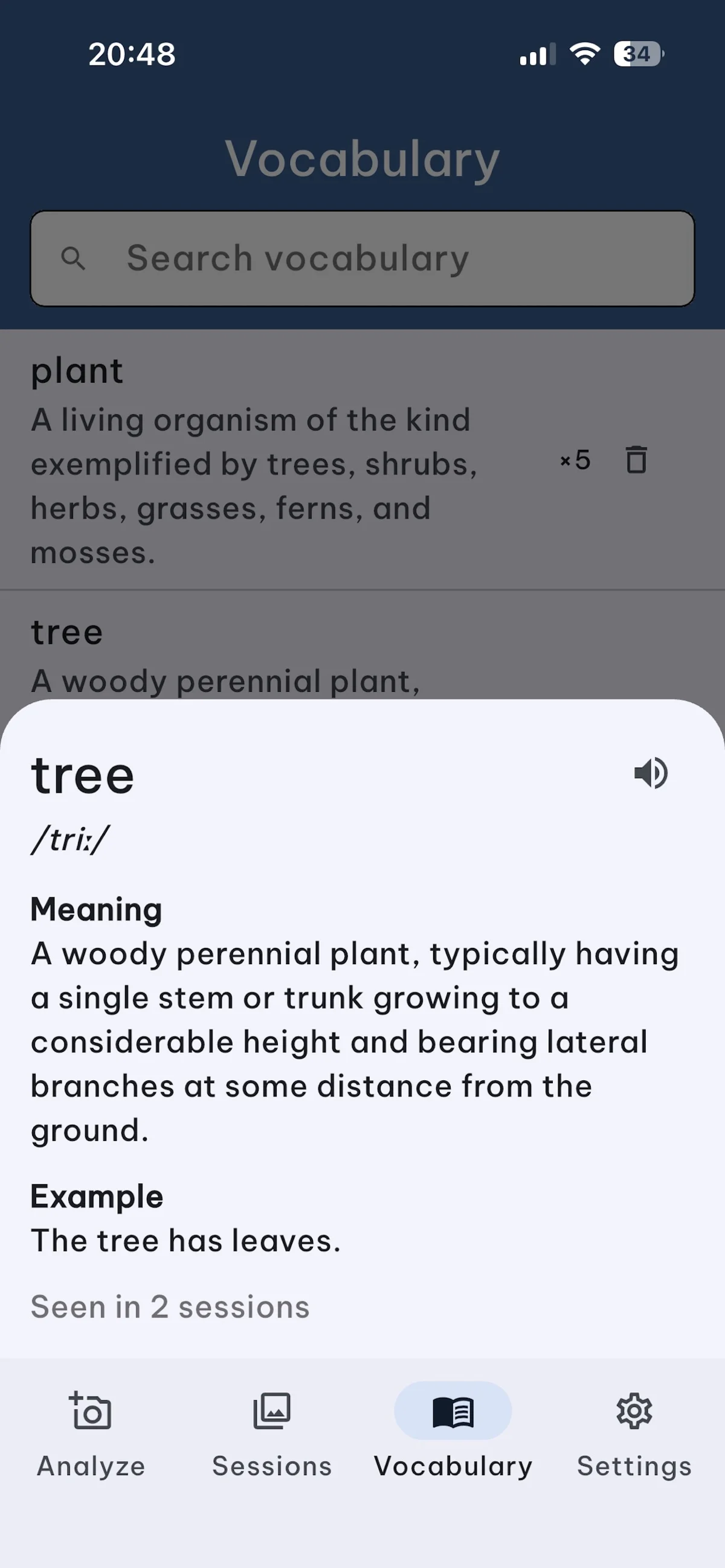
Keep your photo collection manageable and respect privacy
You can group lessons around the kitchen, work or travel. If you use a location map, keep the place a photo was taken only when you find it necessary. Before uploading an image to an online service, check for faces, documents, addresses or private information. A different angle or a simple object photo is often enough for the learning goal.
SnapWord VIRL brings photo lessons, vocabulary suggestions and listening material together in one app. Still, take time to check a lesson before saving it. At the end of each week, choose a few photos to describe again without opening their labels. Being able to describe a familiar situation matters more than simply increasing the number of photos or words collected.

SnapWord VIRL
Learn from the world around you
Turn everyday photos into vocabulary lessons, practice listening with audio stories and revisit words you have encountered in familiar situations.
Frequently asked questions
Do I need location access to learn from photos?
No. Location is only one way to organize material if the app supports it. You can use a topic name or photo date, and should not share a private location just to complete a lesson.
How do I learn words that cannot be seen in a photo?
Photos are a useful starting point for objects, actions and situations. For abstract ideas, look for additional dialogue or passages of text. There is no need to force every kind of word into a single method.
Related articles

Learning English through video: combining context and review
Video shows you the situations in which vocabulary is used. Combine watching, looking things up and recalling them yourself to turn viewing time into a focused learning session.

Spaced vocabulary review: understanding SM-2
Learn what SM-2 does, why you should answer before revealing the solution, and how to handle a growing backlog of review cards.

Practicing English listening with short stories: understand, then retell
Choose manageable stories, use transcripts at the right time and try retelling a short passage. A flexible process for everyday listening practice.